My return to Etosha National Park with only an iPhone 14 Pro
On the road to Etosha National Park during one of my trips to Namibia, my companions and I were robbed. Just like that, my camera bodies, lenses, and laptop were gone.
By the time I arrived at Onguma Safari Camp, all I had left was an iPhone 14 Pro Max. I’d used my phone for landscape shots before, but relying on it for wildlife was completely uncharted territory. Losing my gear forced an unexpected trial by fire: discovering, in real safari conditions, what a smartphone can actually achieve when it’s your only option for wildlife photography.
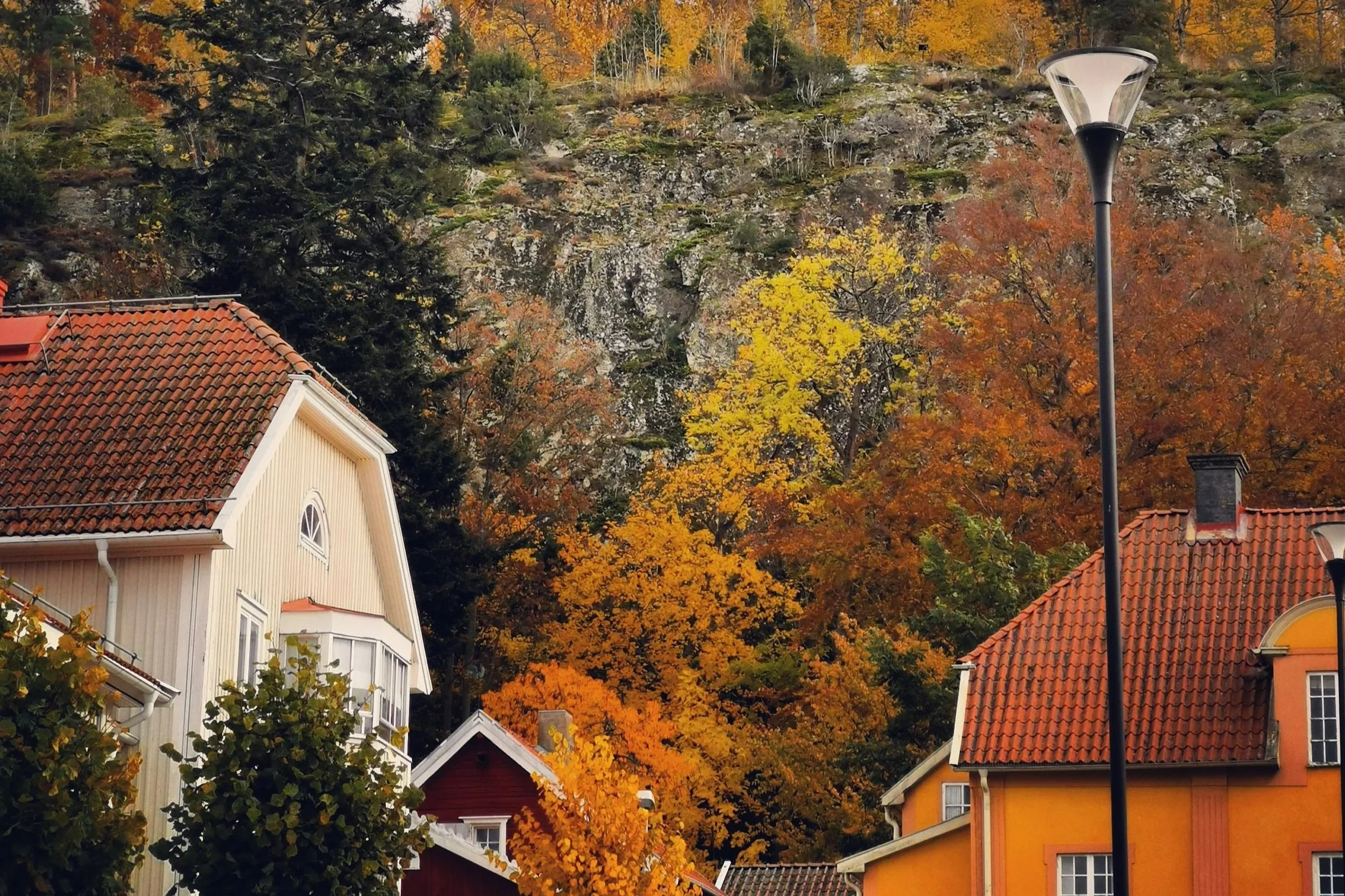
An example of my previous smartphone photography subjects. A sleepy town in northern Sweden, taken with a Huawei Mate 30 Pro, which I used for years due to its excellent light gathering sensor.
A note on safety
Despite the robbery, Namibia remains one of the safer countries in the region for travellers. What happened was opportunistic bad luck rather than a reflection of the destination. The parks are well managed and most visitors experience no problems. I would return in a heartbeat.
What an iPhone (or any modern smartphone) can actually do for wildlife photography
Let’s get the obvious out of the way: a smartphone is not a one to one replacement for a proper camera kit. The reach is inherently limited, isolating a distant subject is nearly impossible, and the moment the sun dips low, image quality degrades rapidly. The core issue is that smartphone sensor sizes are small, and even much newer flagships compared to my own have effectively stagnated for the last five years, trapped by the physical limits of how thin a phone can be and how much allowance for sensor size is made. To bypass these hard laws of physics, manufacturers now rely heavily on computational photography and aggressive sharpening algorithms. The result is often an overprocessed, almost "crunchy" image where fine details look digitally faked.
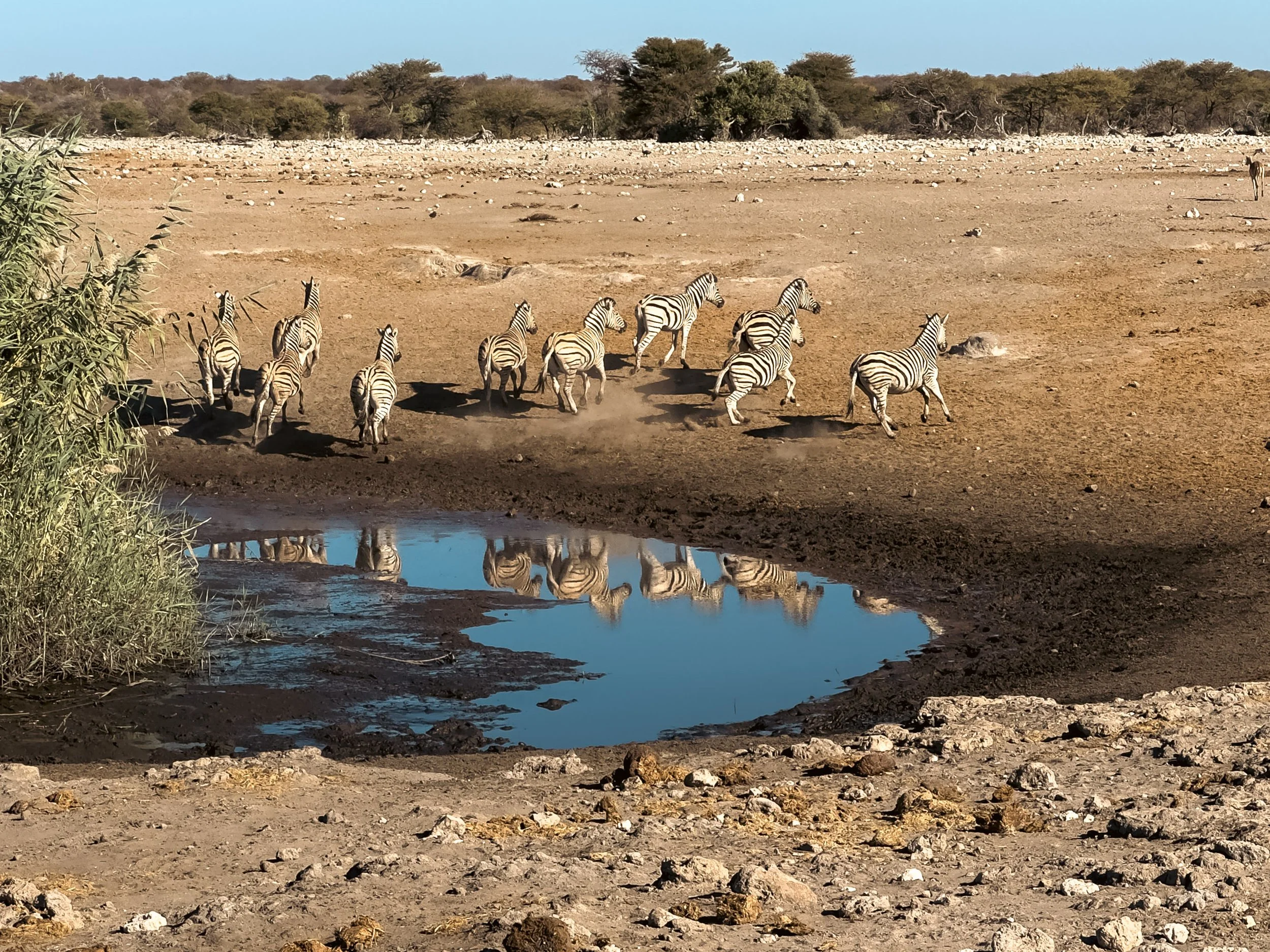
The images that worked
Under favorable conditions the iPhone delivered results that were better than I expected for smartphone safari photography.The strongest frames came from encounters where reach and isolation was less necessary for the composition of the image.
Wider scenes suited the phone best. Landscape and environmental photographs are currently where smartphone cameras feel the least compromised, allowing the wide lenses to capture the sweeping scale of the terrain. However, the moment you try to pull a distant subject in, the illusion shatters. Even the newest flagships, like the iPhone 18 Pro or Samsung S26, cannot overcome the hard physical limit of their sub-one-inch sensors. When you zoom in, the tiny pixels are starved for light, forcing the software to aggressively amplify the sensor's weak electrical signals. This amplification introduces a fine, sand-like grain across the image, turning an elephant’s skin or a bird's plumage into a muddy, pixelated texture.

A solitary black Rhino in Etosha National Park Namibia, shot in monochrome, on my iPhone 14 Pro Max.
Going pro, tools and upgrades
Looking back, I also have to acknowledge that I was fighting this battle with one hand tied behind my back, or at least several fingers. In an ideal world, a serious mobile photographer would bypass the iPhone's aggressive native processing altogether by using third-party manual apps like Halide or ProCamera to force the real telephoto lens into action. There is also an entire burgeoning industry of modular, mountable glass, like Moment or Reelex lenses, and ultra-light travel tripods for better stability and sharpness. These can’t beat physics of course, but some significant improvements would have been achievable. Had I prepared differently, those tools undoubtedly would have eked out cleaner, truer pixels in the harsh Etosha light. But already in the deep bush with zero internet access, downloading external apps or overnighting gear wasn't an option. I had to shoot with exactly what was in my pocket, relying strictly on the native camera app and learning to live within the hard boundaries of the factory silicon.
Practical realities of shooting a safari on a phone I picked up
Force under-exposure to kill the grain: Smartphones are programmed to make dark shadows look bright, which forces the ISO up and creates that sand-like grain. Tap your subject on the screen, then slide the little sun icon down to underexpose the shot slightly (or manually stop down in pro mode or a third party app). It keeps the sky rich, protects the highlights, and keeps the digital noise low.
Treat the digital zoom slider as a last resort: The moment you pinch past your phone's native optical limits (like 3x or 5x), you aren't getting closer; you are just cropping pixels and letting algorithms "guess" the details. If the animal is too far for the native glass, change the shot. A crisp, environmental landscape with a tiny rhino is infinitely better than a pixelated, crunchy close-up of its head.
Lean into high-contrast silhouettes: Instead of trying to get a perfectly lit portrait of an animal under the harsh midday sun, wait for the golden hour and shoot directly into the light. A phone sensor struggles with dynamic range, but it handles hard edges beautifully. By exposing for the sky, you can turn an elephant or a giraffe into a perfectly sharp, dramatic black silhouette against a blazing horizon.
Compose for texture: Since most of your image remains in focus, adjusting your composition to emphasize the texture of the entire scene rather than a smaller area is necessary. You may not be able to choose whether you can isolate your subject, but you can compose your subject to take advantage of the globally focused image. Play with the lines and shapes of the scene; let them lead to your subject in interesting ways.
Use burst mode for stability: At a 5x zoom, a 120mm equivalent focal length, every tiny tremor in your hands is magnified, especially when bouncing around a safari vehicle. Don't just tap the shutter button once, but take advantage of your smartphone’s burst mode. Shooting a quick sequence gives you a buffer against motion blur, allowing you to pick the one perfectly sharp frame where your hands were steady.
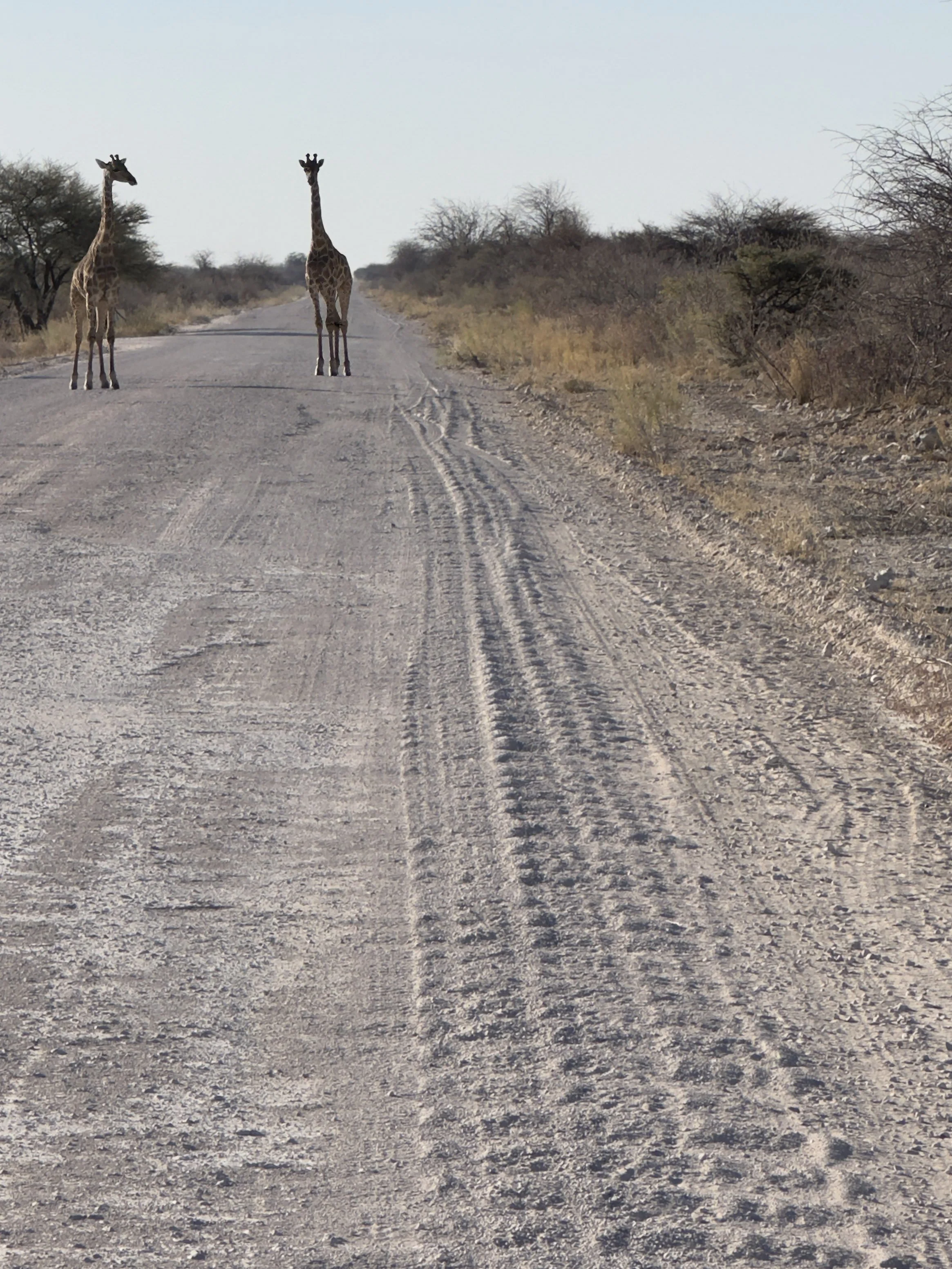
Two giraffes in no particular hurry to get off the road. Shot on iPhone 14 Pro Max. Etosha National Park
I needed to pay even closer attention to light and to behaviour at short range. The phone restricted me, sure, and i certainly wouldn’t print any images large, but it also removed the weight, the need to switch lenses, and it was immediately accessisble at any time. I would never replace my gear with a phone, but I have become less hesitant to snap a pot-shot with my phone camera than i was before this experience.
Can you shoot wildlife photography with an iPhone?
I was pleasantly surprised by some of the shots i was able to take, after a week in Etosha, but the answer for me was a resounding no in spirit, if not technically so. It depends entirely on what you require of a photograph. At risk of being blasé, just because you can doesn’t mean you should.
For wildlife, a smartphone is simply a much less powerful tool than a camera, with far more restrictions on what it can achieve. Anyone who wants total freedom to compose their image will find it limiting. You lose out on optical reach, clean subject separation, cropping latitude, and performance at dusk. An iPhone is not a wildlife camera. No amount of processing will alter the physics of small glass, and the photographs from my week in Etosha were hard-capped by the tool. Yet being stripped of a full kit on the eve of a trip answers a question millions of safari-goers ask: can you shoot wildlife on a smartphone?
If you treat the phone as a normal camera, it will frustrate you. Treat it as a visual notepad, and you can come home with images tied to strong memories. If you get lucky with the light and find a scene suited to the native 24mm lens, usually the biggest sensor on a smartphone by far, you might even pull off a high-quality, printable frame. Whatever the conditions, the phone captures environment, the scale of your surroundings, the light, and the texture of a place.
It will never replace dedicated glass. But as a record of presence, it is far more capable than I gave it credit for.
If you’d like to know more about my experiences in Etosha, you can read my travel article, Exploring Namibia: Etosha National Park, originally published on Photography Life and now on my blog.